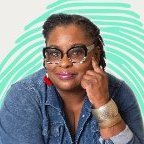
Tina Posted November 13, 2022 Posted November 13, 2022 Hello my name Latina Nickelson , most people call me Ms. T. My pronouns are she/her/hers/ella. I began my professional life in the out of school time education administrator. I gained expertise in community relations, facilitative leadership, strategic planning, data analysis, and negotiation; skills that are invaluable in the world of special education advocacy. I entered the world of special education 5+ years ago, advocating for my own children with IDD's then friends and family. It lead me to become mentor, coach and advocate for parents & caregivers of youth 3 - 21 with intellectual disabilities. I’m known for helping clients go from Chaos to Collaboration by identify and dissolve subconscious blocks preventing them from unlocking the full potential of their children. Quote


Recommended Posts
Join the conversation
You can post now and register later. If you have an account, sign in now to post with your account.